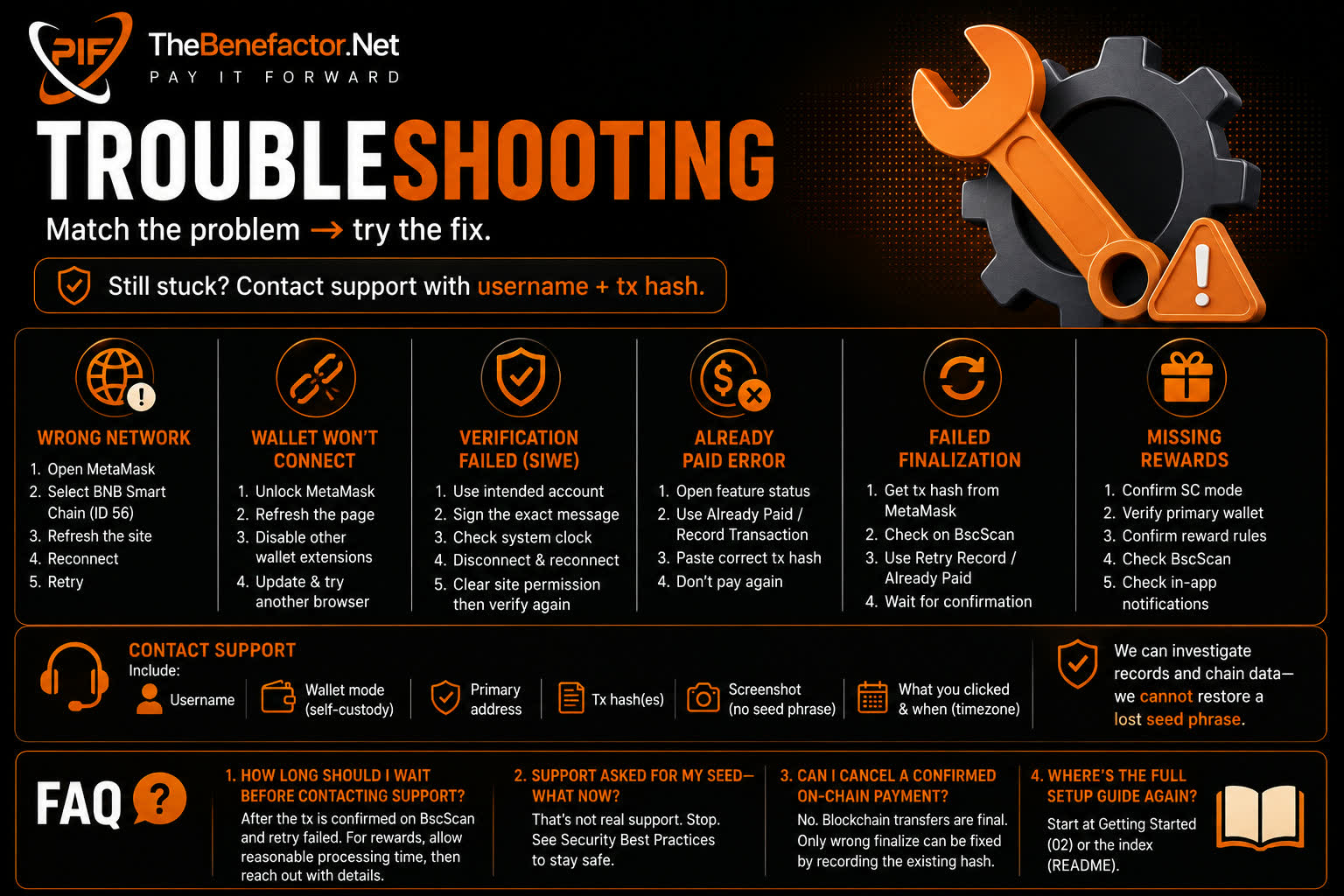
Match the problem → try the fix. Still stuck? Contact support with username + tx hash.
Wrong network
Symptoms: MetaMask errors, balance “0”, or site says wrong network.
Fix:
- Open MetaMask → network menu.
- Select BNB Smart Chain (chain ID 56 mainnet).
- Refresh TheBenefactor.Net and reconnect.
- Retry the action.
Wallet won’t connect
Try:
- Unlock MetaMask.
- Refresh the page.
- Disable conflicting wallet extensions temporarily.
- Check you’re not in a private/blocked browser mode that blocks extensions.
- Update MetaMask / browser.
- Try another browser (Chrome/Brave/Firefox).
Verification failed (SIWE)
Try:
- Ensure the account you sign with is the one you intend as primary.
- Sign the exact message—don’t reject mid-flow.
- Check system clock (large clock skew can break signatures).
- Disconnect site in MetaMask → reconnect → verify again.
- Clear site permission for the dapp and reconnect carefully.
Remember: verification is a signature, not a PIF transfer.
Already paid error
Meaning (varies):
- This tx hash was already recorded, or
- Feature is already paid/active, or
- You’re trying to pay again after success.
Fix:
- Open the feature status page (banner, badge, subscription, etc.).
- If unpaid but you already sent crypto → use Already paid / Record transaction.
- Paste the correct
0x…hash from BscScan. - Do not create a second transfer “to be safe.”
Failed finalization
Meaning: MetaMask sent the tx, but the website didn’t finish recording (timeout, network, refresh).
Fix:
- Copy tx hash from MetaMask Activity.
- Confirm on BscScan: success, correct from, to, amount.
- On the site: Retry record / Already paid.
- Keep the same primary account connected.
- Wait if the tx is still pending; finalize after confirmation.
Missing rewards
Check:
- Mode is still Self-Custody.
- Primary wallet is verified.
- Reward was actually earned (rules, caps, anti-abuse).
- BscScan for your primary address (incoming PIF).
- In-app notifications/transaction list.
Rewards may be queued (job/worker delay). If long delay, contact support with approximate time and reward type.
Contact support
Include:
- Your username
- Wallet mode (self-custody)
- Primary address (public is OK)
- Tx hash(es)
- Screenshot of the error (no seed phrase in shots)
- What you clicked and when (timezone)
We can investigate records and chain data — we cannot restore a lost seed phrase.
FAQ
1. How long should I wait before contacting support?
For a stuck finalize: after the tx is confirmed on BscScan and retry failed. For rewards: allow reasonable processing time, then reach out with details.
2. Support asked for my seed — what now?
That’s not real support. Stop. See Security.
3. Can I cancel a confirmed on-chain payment?
No. Blockchain transfers are final. Only a wrong finalize can be fixed by recording the existing hash.
4. Where’s the full setup guide again?
Start at Getting Started or the index.