You asked for more control. We listened.
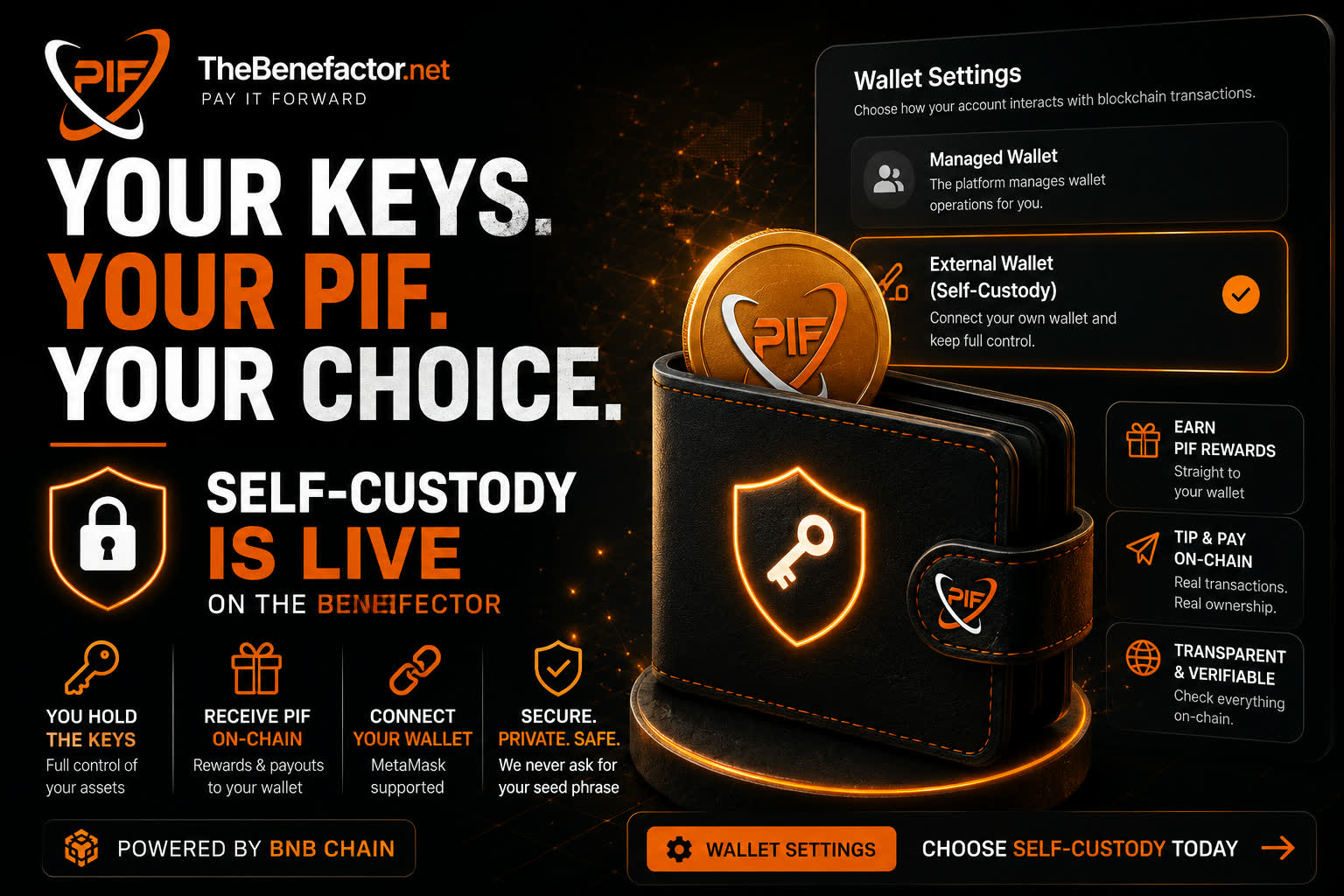
Self-custody wallet mode is live on TheBenefactor.Net
Keep the easy Platform-Managed experience — or switch to Self-Custody and hold your PIF in a wallet you control (like MetaMask).
Same community. Same rewards culture.
Your choice of how you hold your tokens.
Why this matters
Crypto without choice isn’t really ownership.
Some people want one-click simplicity. Others want keys in their hands and balances they can see on-chain. Both are valid — so we built both.
| If you want… | Choose… |
|---|---|
| Simple in-app balance, fewer wallet popups | Platform-Managed |
| Your own wallet, on-chain payouts, full control | Self-Custody |
No lecture. No pressure. Just options.
What self-custody means on The Benefactor
When you go self-custody:
- 🔗 You connect your wallet (MetaMask or any EOA Wallet)
- ✍️ You verify ownership with a signature — not by sharing a seed phrase
- 🎁 Eligible rewards & payouts can go straight to your wallet
- 💸 Tips, transfers, and many fees happen on-chain — you confirm in MetaMask
- 🗝️ You hold the keys. We never ask for your recovery phrase
Signing a message proves “this address is mine.”
It does not move your tokens. Spending only happens when you approve a transaction.
Still love managed? Perfect.
Platform-Managed isn’t going away.
If you prefer the platform to handle day-to-day wallet operations, stay on managed. Deposit, spend, tip, and earn the way you already know.
Self-custody is an upgrade path — not a requirement.
Built for how people actually use TheBenefactor.Net
Self-custody isn’t a badge for show. It’s wired into real flows:
- Earn rewards → land in your wallet
- Tip creators → real on-chain PIF
- Transfer to friends → verified on-chain
- Pay for features → confirm in your wallet
Transparency you can check on the explorer. Control you can feel in MetaMask.
Getting started takes minutes
- Open Wallet Settings (or wallet onboarding)
- Select Self-Custody / External
- Connect MetaMask on BNB Chain
- Sign to verify your primary wallet
- You’re ready — earn, tip, pay, own
💡 Leaving managed? Move out your managed balances first. Switching has simple safety rules (including a cooldown between changes).
Full walkthrough: our Self-Custody docs.
Security, said plainly
- We will never ask for your seed phrase
- Only connect wallets you control
- Double-check network (BNB Chain) and amounts before confirming
- If a payment succeeds in MetaMask but the page glitches — don’t pay twice; record the tx
Your freedom. Your responsibility. We’re here with clear docs and support—not with your keys.
Who this is for
Creators & tip receivers who want PIF in a wallet they already use.
Earners who like seeing rewards on-chain.
Power users who’ve been waiting for “not your keys, not your coins”—done right.
Everyone else who wants to know the option exists when they’re ready.
Today’s invitation
Whether you switch today or stay managed, you’re part of a platform that treats ownership as a feature — not an afterthought.
👉 Ready?
Go to Wallet Settings → choose Self-Custody → connect → verify → own your PIF.
Stay managed if that’s your vibe.
Go self-custody if you want the keys.
Your keys. Your PIF. Your choice.
That’s TheBenefactor. 🚀