


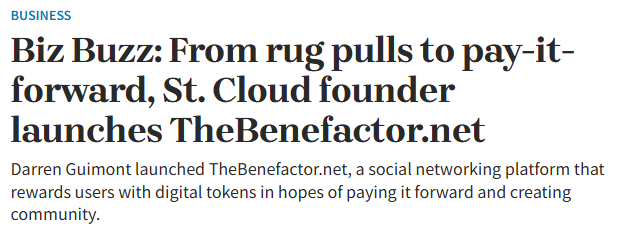
I’ve been learning more about The Benefactor (PIF) and wanted to share a simple, step-by-step explanation of how PIF tokens are transferred to a crypto wallet and especially for those who are new to crypto and want hands-on experience.
Important reminder first:
PIF is currently in pre-sale. These tokens cannot be used, traded, or interacted with yet. This process is purely for experimentation and learning—to get familiar with crypto wallets, interfaces, and on-chain transactions before full utility is live.
Step 1: Set up a compatible crypto wallet
Download a wallet like MetaMask, Trust Wallet, or another supported wallet.
• Secure your recovery phrase
• Never share it with anyone
• This wallet will be where your PIF tokens are stored
Step 2: Ensure you’re on the correct blockchain network
PIF tokens exist on a specific blockchain (for example, Ethereum or another supported chain).
• Add the correct network to your wallet
(Binance, BNB PIF address: 0x26DC7D…d73d3E0x26DC7Dd2A1C9a1F6da9cb992321F80Fc91d73d3E)
• This allows your wallet to recognize and display the token
Step 3: Participate in the pre-sale
Once you complete the pre-sale process through the official Benefactor platform:
• Your wallet address is linked
• Your allocation of PIF tokens is recorded on-chain
Even though the tokens are not usable yet, ownership is verifiable.
Step 4: Add the PIF token to your wallet manually
Because the token is new and in pre-sale:
• It may not appear automatically
• You’ll need to import the token using the official contract address
Once added, you’ll see your PIF balance displayed
Step 5: View and track your tokens
At this stage, tokens are visible but inactive.
• No transfers
• No trading
• No utility yet
This phase is about learning how wallets work, how tokens appear, and how blockchain records ownership.
If you’re new to crypto, this is exactly how you build confidence:
learn the interface, understand the flow, and get comfortable before full adoption.
Curious to hear are you exploring crypto for the first time, or expanding what you already know?
(Message me if you need more guidance on how to learn implementingv this)






Your Awesome!!